

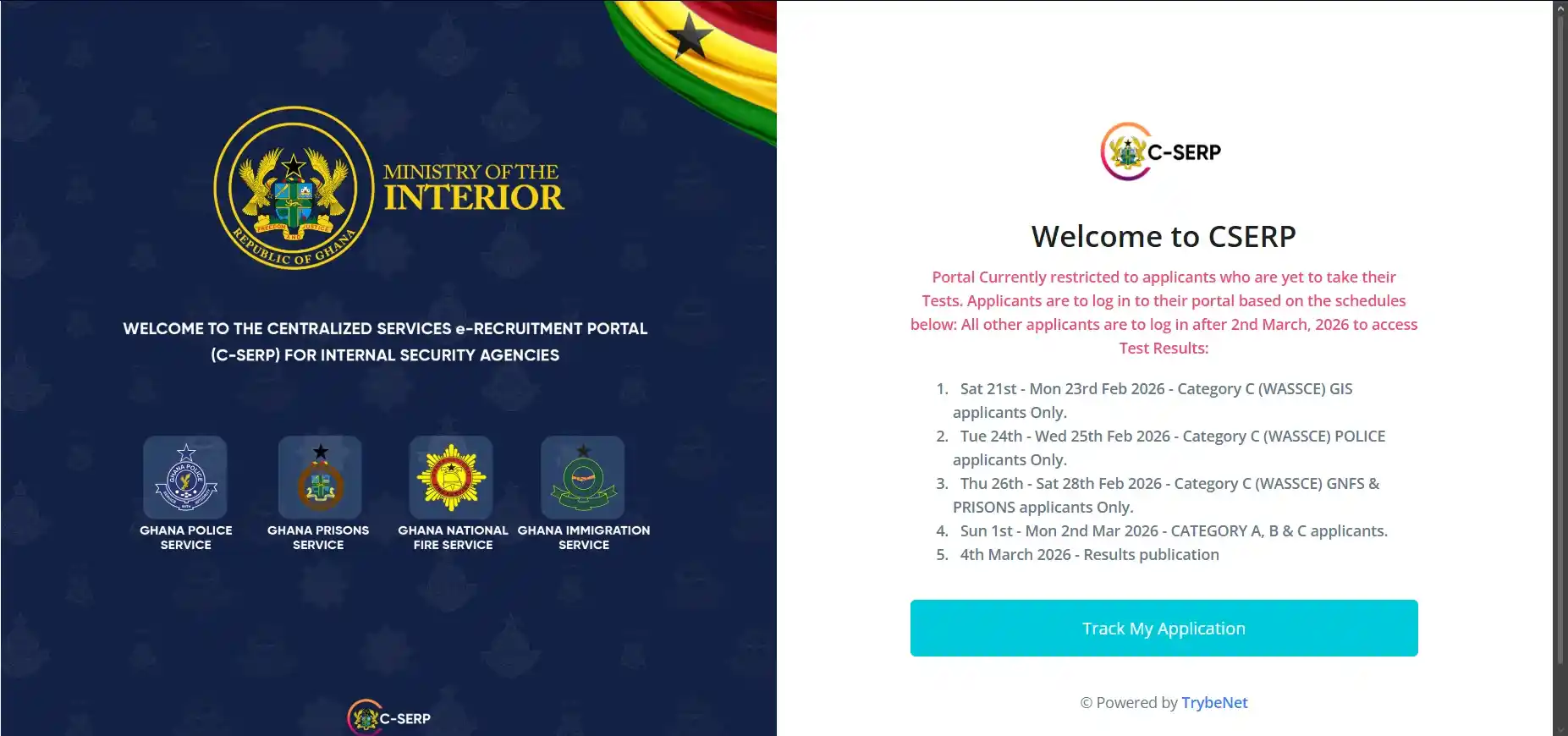
The Ministry of the Interior and the participating security agencies acknowledge concerns raised by some applicants regarding the conduct of the 2025/26 CSERP Online AI-Proctored Aptitude Test.
This guide explains:
-
Why certain technical issues occurred
-
What affected applicants should do
-
How the AI proctoring system works
-
Important rules to avoid disqualification
-
When and how results will be released
It is intended to provide clear, practical instructions so that every eligible applicant can complete the test successfully.
READ ALSO:
Overview of the Online Aptitude Test
The CSERP aptitude test is conducted remotely under strict AI-based supervision.
As of 10th February 2026:
-
Over 80% of Category A applicants (NVTI/Tradesmen/Sportsmen/Other Certificates) have successfully completed the test.
-
A minority of applicants experienced technical or verification issues.
To ensure fairness and integrity, remedial windows have been provided for affected candidates.
1. “Test Completed Successfully” Message Without Taking the Test
Some applicants reported seeing:
“Test Completed Successfully. Please check back later for your results.”
— even though they had not actually taken the test.
Why This Happened
This issue was linked primarily to:
-
Unsupported browsers
-
Disabled JavaScript
-
Blocked third-party cookies
-
Corrupted browser cache
These are client-side (applicant device) configuration problems, not system-wide errors.
SEE ALSO:
What Affected Applicants Must Do
If you were affected:
-
Use a laptop or desktop computer only.
-
Install and use the latest version of Google Chrome.
-
In Chrome settings:
-
Enable JavaScript
-
Allow third-party cookies
-
Clear browser cache and cookies
-
-
Wait for the official SMS notification confirming your eligibility to retake the test.
Important Dates
-
Retake window (Category A only):
-
13th – 15th February 2026
-
-
This extension does not affect Category B applicants (First Degree, Master’s, Professionals, Degree General Duty).
READ MORE: [HND, Degree, Masters] Ghana Prisons Service Aptitude Test.
2. Facial Recognition & AI Proctoring Issues
The CSERP test uses an advanced AI proctoring system to ensure:
-
Identity verification
-
No impersonation
-
No external assistance
-
Fair examination conditions
Although the test is taken from home, it is monitored remotely.
How the System Works
During the test:
-
Your face must remain aligned with the camera.
-
Random screenshots are taken.
-
Audio and environmental noise may be analysed.
-
Head movement and gaze patterns are monitored.
-
Opening additional tabs or copying questions is detected.
Any violation may be flagged for manual review.
Proper Facial Alignment Requirements
To avoid test freezing or flagging:
-
Sit upright and face the camera directly.
-
Maintain the same alignment used during enrolment.
-
Ensure good lighting (face clearly visible).
-
Avoid hats, heavy shadows, or facial obstructions.
Looking Away for Calculations
You are allowed to:
-
Look off-screen for quick calculations
-
Use paper or a calculator (if permitted)
However:
-
Do not exceed 20 seconds per question
-
The screen may freeze if alignment is lost
-
Questions will resume once alignment is restored
Excessive or suspicious movement may trigger review.
SEE ALSO: [HND, Degree, Masters] Ghana Police Service Aptitude Test.
3. Biometric Facial Scan Mismatches
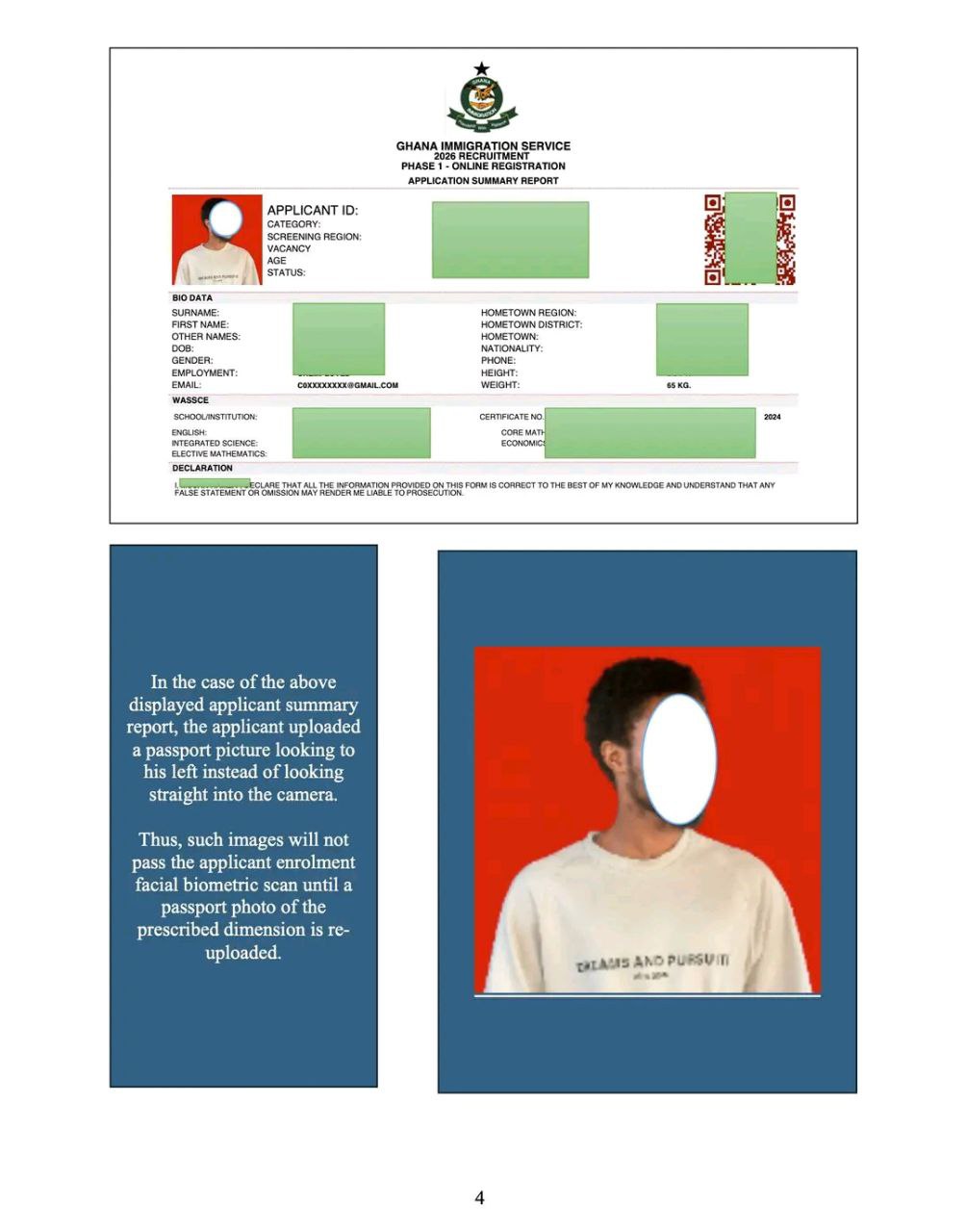
Some applicants could not complete enrolment due to photo-related errors.
Common Mistakes Observed
-
Uploading full-body photos
-
Uploading low-resolution images
-
Incorrect dimensions
-
Wrong background
-
Uploading a different person’s photo
The system compares your live camera image with the passport photo submitted during application.
If the uploaded image does not meet specifications, enrolment will fail.
Correct Passport Photo Specifications
If affected, follow these steps:
-
Log into your applicant portal.
-
Use the “Upload Verification Passport Photo” option.
-
Upload a photo with:
-
Dimensions: 530 × 413 pixels
-
Background: Red or White
-
Format: JPEG or PNG
-
Clear, front-facing image only
-
-
Save and click Start Test again.
After uploading the correct photo, you should be able to proceed.
ALSO READ: How to Pass Your AI-Proctored Aptitude Test.
4. Mobile Phones Are Not Permitted
Mobile devices cannot be used to take the test.
Why?
-
Incoming calls interrupt connectivity
-
Network instability affects monitoring tools
-
AI verification tools require full desktop browser functionality
-
Screen size limitations affect proctoring accuracy
Approved Setup
Use:
-
Laptop or desktop computer
-
Stable internet connection
-
Backup power (UPS recommended)
Do not attempt to use:
-
Smartphones
-
Tablets
-
Shared cybercafé systems without stable configuration
5. Social Media “Exam Question” Claims
The Ministry of the Interior has not authorised any TikTok, YouTube, or social media account to:
-
Provide official test questions
-
Predict or “solve” exam questions
-
Sell exam guidance packages
Only official communication channels and authorised recruitment offices provide legitimate information.
Applicants are advised to disregard unofficial sources.
SEE MORE: C-SERP Aptitude Test Dates and Guidelines.
6. How Results Will Be Released
After the test window closes:
-
The AI system will analyse:
-
Random screenshots
-
Facial alignment records
-
Audio captures
-
Browser activity logs
-
-
Flagged cases may undergo additional review.
Result Release Date
Results will be published on the applicant portal after 23rd February 2026.
Applicants will log in to check their individual status.
Official Recruitment Contacts
For concerns not addressed here, contact the respective recruitment teams:
Ghana Police Service
0299208948
0299208928
Ghana Prisons Service
0291914115
0291914101
Ghana Immigration Service
0299340089
0291502173
Ghana National Fire Service
0545083088
0545083064
Frequently Asked Questions (FAQs)
1. Can I retake the test if I had technical issues?
Yes, if you were officially identified as affected and receive an SMS notification. Follow the instructions carefully within the extended test window.
2. What happens if the AI system flags me?
Flagging does not automatically mean disqualification. It means your session may be reviewed. Final decisions are based on full analysis.
3. Can I use a calculator?
You may briefly look away for calculations (maximum 20 seconds per question). Ensure you remain within camera view.
4. What if my internet disconnects during the test?
You should:
-
Reconnect immediately.
-
Re-enter the portal if allowed.
-
Ensure stable internet before starting.
Frequent disconnections may affect session integrity.
5. Can I change my passport photo after the application stage?
Only if you are unable to pass biometric verification. Use the portal’s upload verification option and follow the exact size and background requirements.
6. Is it true that questions are circulating on social media?
No. The Ministry has not authorised any platform to distribute official exam content. Treat such claims as unofficial and unreliable.
7. When exactly will I know if I passed?
Results will be published on your portal after 23rd February 2026. No results will be released via social media.
Final Guidance to Applicants
The CSERP aptitude test is designed to ensure fairness, transparency, and merit-based recruitment across all participating agencies.
Applicants are encouraged to:
-
Follow technical instructions precisely
-
Use approved devices only
-
Maintain proper facial alignment
-
Avoid unofficial information sources
Careful compliance with these guidelines will help ensure your test session is valid and successfully recorded.

